

Zera Studio – Masterclass: The Award-Winning Web Developer
Learn to Build More Refined Websites With AI-Assisted Design Workflows
A website can have all the necessary pages and still feel ordinary. The layout might be functional, but the spacing, visual hierarchy, transitions, and overall presentation may not communicate the quality a business wants its customers to see.
That is where a more deliberate approach to website design makes a difference.
Zera Studio’s Masterclass: The Award-Winning Web Developer is a training program focused on building polished, premium-style websites through a structured, AI-assisted workflow. Rather than concentrating exclusively on traditional coding, the program explores how to study strong website references, plan page structures, use AI tools during development, refine visual details, and present finished websites as professional client services.
The curriculum connects three important areas: design thinking, website implementation, and the business skills needed to offer web design services. Public course materials describe eight modules covering premium website strategy, design analysis, AI-assisted building, practical website projects, pricing, client acquisition, and workflow systemization.
This combination may appeal to aspiring web designers, freelancers, creative entrepreneurs, and service providers who want to develop a more organized process for creating websites.
The central idea is straightforward: learning a tool is only one part of building a good website. You also need to understand how the page communicates, how the visual elements work together, and how to turn a design concept into a finished experience.
What Is the Award-Winning Web Developer Masterclass?
Created by Zera Studio, this masterclass focuses on the process behind premium-looking website projects.
The official curriculum is structured as a progression rather than a collection of unrelated software tutorials. It begins with the business and design principles behind higher-value websites, moves into layout analysis and AI-assisted implementation, and then explores how to present, price, and systemize client work.
The program is advertised as suitable for people who want to build websites without extensive coding. It also discusses tools and techniques that can help users produce layouts, animations, and visual details with AI assistance.
However, using AI does not eliminate the need for design judgment. Generated layouts may need substantial editing, and websites still require careful attention to usability, accessibility, mobile responsiveness, performance, and content quality.
The course is therefore best understood as an introduction to a structured design-and-delivery workflow, not a guarantee that a beginner will immediately produce award-winning work.
What You’ll Explore Inside the Masterclass
1. Understanding the Premium Website Model
The first part of the curriculum introduces the idea of premium website positioning.
A professionally designed website is more than a collection of attractive sections. It should communicate the business clearly, guide visitors through the information, support the intended user journey, and present the brand consistently.
For example, a website for an architecture studio may need generous whitespace, strong project photography, restrained typography, and a carefully organized portfolio. A website for a software company may need a more direct product explanation, clear feature sections, and visible calls to action.
Both websites can look polished, but their design decisions should serve different purposes.
Understanding what a business needs from its website helps a designer make better decisions about layout, imagery, messaging, and interaction.
The masterclass explores the premium website model and the factors that influence how a website is perceived. This provides a foundation for thinking about design value beyond the software used to create the page.
2. Studying the Structure of Professional Websites
One of the most useful skills for a designer is learning how to analyze a website before attempting to recreate its general quality.
The program includes material on website structure, messaging flow, layout, hierarchy, visual direction, motion, and interaction details.
These elements affect how visitors experience a page.
Messaging flow determines how the page introduces a problem, explains the offer, provides supporting information, and leads visitors toward an action.
Layout and section structure organize information so visitors can understand the page without feeling overwhelmed.
Visual hierarchy helps distinguish the most important information from secondary details through typography, spacing, scale, contrast, and placement.
Motion and interaction can provide feedback, create visual interest, and help users understand how elements behave.
For instance, a service-business homepage might begin with a concise explanation of the service, followed by evidence of previous work, an explanation of the process, and a clear contact option.
When these elements are arranged thoughtfully, the website can feel easier to understand and navigate.
3. Learning Website Reference and Design Deconstruction
The masterclass includes a reference-and-deconstruction process for studying existing website designs.
This is different from copying a website without understanding why it works. A more useful process is to identify the design decisions behind the reference and determine which principles are relevant to your own project.
You might examine how a page uses a large headline, how images balance with text, how sections transition, or how motion draws attention to a particular element.
You can then translate those observations into a design plan suited to the new brand.
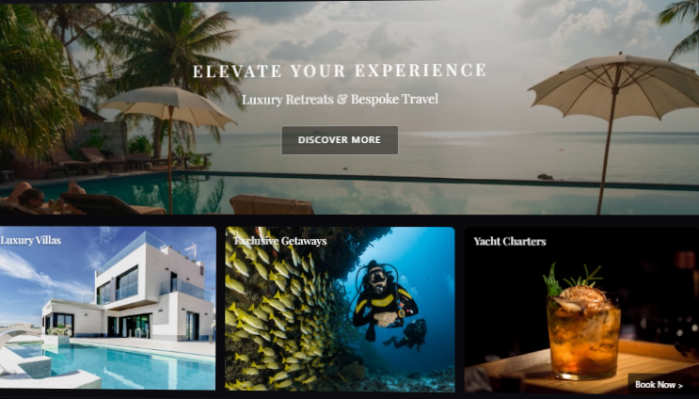
For example, a designer working on a boutique hotel website might study how premium hospitality websites present photography, room details, location information, and booking options. The goal is to understand the principles behind the presentation, not to reproduce another business’s protected assets or distinctive design wholesale.
Reference analysis can help designers develop their visual judgment and avoid relying on guesswork when planning a new page.
The course’s emphasis on turning references into a build plan is particularly relevant to people who know what kind of website they admire but struggle to translate that inspiration into a practical workflow.
4. Building Websites With AI Tools
AI-assisted website creation is another central part of the curriculum.
The official page describes a step-by-step AI build workflow, including using tools to help create layouts, structure pages, and refine visual elements. Course materials also reference Cursor and the use of AI to improve development outputs.
AI tools can help speed up parts of the process, such as generating an initial layout, drafting code, exploring design variations, or troubleshooting implementation problems.
However, the first output is rarely the final product.
A generated page may have inconsistent spacing, poor mobile behavior, confusing navigation, or visual elements that do not match the intended brand. Designers still need to inspect the result, test it, and make corrections.
A sensible workflow might involve:
- Defining the purpose of the page.
- Planning the content and section structure.
- Preparing a design reference or visual direction.
- Using an AI tool to assist with the initial build.
- Reviewing the output and correcting problems.
- Testing the page across different screen sizes.
- Refining the design before delivery.
This approach uses AI as an assistant rather than treating it as a substitute for planning and quality control.
5. Developing Visual Hierarchy and Design Details
Small design decisions can have a significant effect on how professional a website feels.
Spacing, typography, image selection, alignment, contrast, and section transitions all contribute to the final result.
The masterclass includes training on these aspects of website presentation.
Consider a landing page where every heading is the same size, every section is tightly packed, and several buttons compete for attention. Even if the content is useful, visitors may find it difficult to identify the most important information.
A more deliberate hierarchy can make the page easier to scan. A strong headline introduces the offer, supporting text explains its value, and the primary call to action provides a clear next step.
Spacing can separate ideas and make the page feel less crowded. Consistent typography can improve readability. Carefully chosen imagery can reinforce the brand rather than distract from the message.
These improvements are not limited to visually complex websites. Even a simple service-business homepage can benefit from thoughtful structure and consistent presentation.
6. Exploring Animations, Interactions, and 3D Visuals
The official course page also describes training involving motion and interactive details. Its FAQ mentions using Blender to manipulate custom 3D visuals and bring them into websites.
These techniques can be useful when a project calls for a more distinctive visual experience.
Animations may help introduce a section, communicate a transition, or provide feedback when a visitor interacts with an element. Three-dimensional visuals can add depth or demonstrate a product in a more engaging way.
However, more animation does not automatically mean better design.
A useful interaction should serve the experience rather than distract from the content. Excessive movement can make a website feel slow or difficult to use, particularly for visitors who prefer reduced motion or are browsing on mobile devices.
Performance is also important. Large media assets and complex effects should be optimized so they do not undermine loading speed or accessibility.
The value of learning these techniques lies in knowing when they are appropriate and how to integrate them into a coherent design.
7. Building a Complete Website Project
The masterclass includes two practical website-building sections, progressing from project setup and core page structure to styling, motion, visual refinement, and final polish.
Project-based learning can help connect individual concepts.
Instead of studying layout, typography, animation, and AI prompting as separate subjects, learners can see how those decisions interact in a single website.
A typical project workflow begins with a clear objective and a content outline. The designer then develops the main page structure, establishes the visual direction, builds the essential sections, and refines the presentation.
Testing comes before delivery. Links should work, text should be readable, images should display correctly, and the layout should adapt to different devices.
A completed project can also become a portfolio example, provided the work is original or appropriately licensed and accurately represented.
The precise project requirements and deliverables should be confirmed against the current curriculum.
8. Positioning and Pricing Website Services
The program goes beyond website construction to discuss how designers can present their work as a professional service.
This business component is relevant because technical ability alone does not explain the value of a website to a prospective client.
Clients may care about brand presentation, clearer messaging, user experience, business objectives, and the reliability of the delivery process. A designer needs to understand those priorities and communicate what the proposed project includes.
The curriculum lists topics related to target clients, premium positioning, outreach, pricing, and closing.
For example, a freelance designer could specialize in websites for professional service businesses and develop a process for understanding each client’s goals, preparing a proposal, defining deliverables, and managing revisions.
Pricing should reflect the actual scope of work, the value and complexity of the project, the designer’s experience, and the market. A course’s example price points are not guarantees that every student can charge the same amount.
A sustainable business also requires clear contracts, realistic timelines, appropriate licensing, and consistent communication.
9. Reusing Structures and Improving Workflow Efficiency
Once a designer has completed several projects, repeating every step from scratch can become inefficient.
The course includes topics on reusing structures, building with templates, systemizing a workflow, and increasing pricing over time.
Reusable components can include navigation patterns, common page sections, content structures, project checklists, and internal quality-control steps.
For example, a designer who regularly creates websites for consultants might develop a reusable project framework for service descriptions, case studies, testimonials, and contact sections.
The framework can reduce repetitive work while still allowing each website to reflect the client’s brand and objectives.
The key is to reuse proven processes without making every website look identical. Templates should support good decisions, not replace them.
Who Is This Masterclass For?
Aspiring web designers: People who want a structured introduction to website design and AI-assisted building rather than relying on disconnected tutorials.
Freelancers: Designers interested in improving their presentation, refining their workflow, and understanding how to position website services.
Creative entrepreneurs: People who want to explore website creation as a potential service business.
Designers using AI tools: Creators who want to understand how AI can assist with page structure, development, and visual refinement.
No-code enthusiasts: People interested in building websites without relying entirely on traditional hand-written code. Some tools and workflows may still require technical learning.
Existing web professionals: Designers who want to review their approach to visual hierarchy, reference analysis, motion, or project systemization.
This program may be less suitable for learners seeking a comprehensive computer science curriculum or deep instruction in backend engineering, databases, and server architecture. Its publicly described focus is on premium website design, AI-assisted implementation, and the business side of client work.
What to Consider Before Enrolling
AI Still Requires Human Review
Generated code and layouts can contain errors. Always test the website, review its accessibility and responsiveness, and verify that the final result meets the project’s requirements.
Third-Party Tools May Have Separate Costs
Check whether the tools used in the lessons require paid plans, subscriptions, or usage credits. Course access does not automatically mean access to every third-party service.
Premium Design Takes Practice
A structured course can help organize the learning process, but developing a strong visual eye requires repeated practice, comparison, feedback, and revision.
Client Revenue Is Not Guaranteed
The course discusses higher-value website positioning and pricing, but individual results depend on experience, portfolio quality, sales skills, market demand, and the service delivered.
Verify the Current Offer
Before purchasing, confirm the curriculum, access duration, update policy, included resources, price, and refund conditions on the official website. Do not assume that third-party listings accurately represent the current offer.
Final Thoughts
Zera Studio’s Masterclass: The Award-Winning Web Developer combines website design principles, AI-assisted development, practical project work, and business topics for people interested in professional web design.
Its structured approach may be particularly useful for learners who want to understand the relationship between a website’s visual quality, the process used to build it, and the way the finished service is presented to clients.
The most important takeaway is that good website work requires more than a tool or an attractive template. It requires clear thinking, thoughtful design, careful implementation, and a willingness to refine the details.
If those are the skills you want to explore, review the official curriculum to determine whether the program fits your experience and goals.


Reviews
There are no reviews yet.