
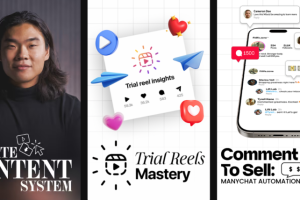

Creator College – Content System Guide
Stop treating every post like a brand-new project. Build a content workflow you can return to, improve, and use consistently.
Creating social media content sounds straightforward until you have to do it week after week. You need fresh ideas, strong openings, a clear message, decent visuals, effective editing, and a publishing schedule that fits around everything else you do. Even when a post performs well, figuring out what to create next can feel like starting over.
Creator College – Content System Guide focuses on bringing more structure to that process. The program is presented as a practical training resource for creators who want to improve their content workflow, develop a clearer creative direction, reach more people through Instagram, and connect audience engagement with potential business opportunities.
Rather than concentrating on isolated viral tricks, the course emphasizes a repeatable approach to content creation. Its advertised topics include scripting, filming, editing, batching, repurposing, Instagram Trial Reels, and ManyChat direct-message automation.
For personal brands, entrepreneurs, coaches, freelancers, and digital product sellers, these skills can be useful well beyond Instagram. A well-organized content process can help you communicate ideas more clearly, maintain a recognizable brand voice, and make better use of the time you spend creating.
What Is the Creator College Content System Guide?
Creator College – Content System Guide is a content strategy and social media training program designed to help creators develop a more organized approach to publishing and growing an audience.
The advertised curriculum combines three related areas: creating content through a repeatable workflow, exploring Instagram’s Trial Reels feature, and using ManyChat automation to turn certain interactions into direct conversations.
That combination matters because content marketing involves more than getting views. A creator needs a way to decide what to publish, produce it efficiently, distribute it to an appropriate audience, and give interested viewers a useful next step.
The course is presented as particularly relevant to intermediate and advanced creators who already publish content but want to improve consistency or move beyond a growth plateau. Motivated beginners may also find the concepts useful, although the best starting point will depend on their existing experience.
Third-party listings advertise three programs, 54 in-depth videos, and more than 30 templates and resources. Confirm these quantities and the exact materials with the seller before treating them as guaranteed inclusions in your edition.
Build a Content System Instead of Relying on Inspiration
One of the biggest challenges in content creation is deciding what to publish. You might have several ideas but struggle to turn them into complete posts. Alternatively, you may have a consistent publishing schedule but feel that the content lacks direction.
A content system helps connect these separate tasks. It gives you a process for collecting ideas, evaluating which ones are worth developing, drafting scripts, producing content, and reviewing performance.
For example, a fitness coach could collect recurring questions from clients, organize them into topic categories, and turn each category into several educational posts. Instead of brainstorming from scratch every morning, the coach has a useful collection of ideas that can be developed over time.
The same principle applies to consultants, educators, eCommerce brands, and creators who teach a specific skill.
A repeatable workflow does not mean every post should look identical. It means the steps involved in creating content become easier to manage, leaving more room for original ideas and thoughtful execution.
Develop a Clear Creative Direction
Publishing consistently is easier when you understand what you want your content to communicate. Without a clear direction, creators can end up jumping between unrelated topics, copying trends that do not fit their brand, or attracting an audience that has little interest in their actual work.
The advertised course materials reference a framework called the Creator Vision Framework. It is described as a way to help creators develop clarity around their content without unnecessarily limiting themselves to a narrow niche.
This is a useful concept for personal brands. You may have several interests or teach different aspects of a broader subject, but your content can still share a recognizable perspective and purpose.
Imagine a business creator who discusses marketing, productivity, and entrepreneurship. These subjects can work together if the content consistently serves a defined audience and supports a coherent message.
A clearer creative direction also makes it easier to evaluate ideas. Rather than asking only whether a topic is trending, you can ask whether it is relevant to your audience and whether it supports the kind of brand you want to build.
Improve Your Scripting, Filming, and Editing Workflow
A strong content idea still needs to be communicated effectively. The scripting, filming, and editing process determines how that idea is presented and whether viewers can follow it.
For short-form video, scripting often starts with the main point. What should viewers understand, learn, or consider by the end? Once that is clear, you can choose an opening, organize the supporting information, and finish with an appropriate conclusion or call to action.
Filming then becomes more deliberate. You know what needs to be said, which visual elements may help explain the message, and what footage you need to capture.
Editing brings the pieces together. Removing unnecessary pauses, improving clarity, adding relevant visual context, and keeping the pacing appropriate can make a video easier to follow.
The course advertises a content workflow covering these production stages. It also references batching, repurposing, and lower-effort content formats.
These approaches can help reduce the friction involved in producing content. However, efficient production should not come at the expense of accuracy, originality, or the quality of the viewer’s experience.
Use Content Batching to Make Publishing More Manageable
Content batching means grouping similar production tasks together instead of completing every step separately for each post.
For instance, you could spend one session researching topics, another outlining several scripts, and a later session recording multiple videos. Editing and scheduling can then be organized around the material you have already created.
This approach can reduce the mental effort of repeatedly switching between research, writing, recording, and editing. It can also make it easier to maintain a publishing schedule during busy periods.
Batching is not necessarily about producing the maximum possible number of posts. It is about finding a production rhythm that suits your schedule, content format, and available resources.
The best workflow will vary. A creator producing educational videos may benefit from a different schedule than a business sharing daily product demonstrations. Use a system as a flexible structure, then adjust it based on what you can maintain consistently.
Repurpose Ideas Without Making Your Content Feel Repetitive
Repurposing involves adapting an existing idea or piece of content for another format, platform, or audience need.
A detailed tutorial, for example, could provide material for several short videos, a carousel, an email, or a written guide. Each adaptation should have a purpose of its own rather than simply copying the original content into a different format.
This is especially helpful for creators who have useful expertise but limited production time. One well-researched subject can support multiple pieces of content, provided each version is edited for its intended audience and platform.
Repurposing can also help reinforce important messages. People may encounter a topic through a short video before seeing a more detailed explanation later.
The course’s advertised workflow includes content batching and repurposing as ways to make publishing more sustainable. These practices are useful starting points for anyone who wants to get more value from the research and planning they have already completed.
Explore Instagram Trial Reels
Instagram Trial Reels are a feature associated with testing Reels with people who do not already follow an account, subject to Instagram’s current feature rules and availability.
The Content System Guide listing advertises training on Trial Reels and their use in reaching non-followers. This makes the topic relevant to creators who want to experiment with new formats or subjects without relying solely on their existing audience.
A thoughtful testing process begins with a specific question. You might test whether a different opening makes an educational video easier to understand, whether a shorter explanation holds attention better, or whether a new topic attracts the audience you want to reach.
Reviewing performance can help inform your next decision, but one result does not establish a universal rule. Reach and engagement can vary with the subject, audience, creative execution, timing, and platform changes.
Instagram features and recommendations can also change. Check the current platform guidance and the exact course version to confirm that the lessons reflect the features available to you.
Turn Engagement Into Conversations With ManyChat
Views and likes can indicate that content has attracted attention, but they do not automatically create a relationship with a potential customer.
ManyChat is a messaging automation platform that can support certain automated interactions, including Instagram direct-message workflows when configured according to the platform’s rules.
The advertised Content System Guide curriculum includes a ManyChat comment-to-DM automation flow. This type of workflow can allow a creator to respond to a qualifying comment with a relevant message or resource, subject to the available integrations, permissions, and current platform policies.
For example, a creator who publishes a tutorial about planning content might invite interested viewers to request a related checklist. An appropriately configured automation could help deliver that resource and guide the user to the next relevant step.
The message should provide genuine value, and the interaction should be transparent. Avoid sending irrelevant promotions or building an automation that creates a frustrating experience for the user.
ManyChat can help organize parts of the conversation, but it does not guarantee that a viewer will become a lead or customer. The offer, audience fit, follow-up, and overall user experience still matter.
Connect Content With Your Business Goals
Content strategy becomes more useful when you know what you want it to accomplish.
For one creator, the primary objective may be building an audience. Another may want to generate inquiries for a consulting service, grow an email list, sell a digital product, or help existing customers use a product more effectively.
Each goal calls for a different approach. Educational posts can demonstrate expertise, behind-the-scenes content can help people understand your process, and product-focused content can explain how an offer addresses a particular need.
The important step is to connect the content with a relevant next action. That might mean inviting a viewer to read a detailed guide, subscribe to a newsletter, explore a product page, or ask a question.
The course’s combination of content production and messaging automation is relevant to creators who want to consider both audience growth and the next stage of the customer journey.
It is still important to measure outcomes realistically. Views and followers are not the same as qualified leads, sales, or long-term customer relationships. Choose metrics that reflect your actual goals.
Who Should Consider This Course?
Instagram creators: People who want a more structured process for planning and publishing Reels and other content.
Personal brand builders: Professionals who need a recognizable voice and a repeatable approach to communicating their expertise.
Coaches and consultants: Service providers who use educational content to build trust and introduce potential clients to their work.
Digital product sellers: Entrepreneurs who want to connect useful content with product information, lead generation, or customer conversations.
Freelancers and marketers: People who manage content for their own business or help clients improve their social media workflow.
Creators struggling with consistency: Anyone who spends too much time deciding what to post or repeatedly starts the content process from scratch.
The training may be less useful for someone seeking advanced paid-advertising instruction, a complete technical marketing automation qualification, or guaranteed follower and revenue growth. Its advertised emphasis is on content systems, Instagram growth tactics, and ManyChat workflows.
What to Check Before Purchasing
Before buying, confirm the exact course version and review the curriculum supplied by the seller. Check whether the advertised videos, templates, resources, and automation examples are included in the specific package.
Also verify the current price, access duration, update policy, refund terms, and seller identity. A third-party listing does not automatically establish that the seller has permission to redistribute the original training or its materials.
If you are listing the course in your own store, use accurate product images and describe the access you actually provide. Do not promise a particular number of followers, viral views, leads, or sales.
Final Thoughts
Creator College – Content System Guide is positioned for creators who want to bring more structure to content production and connect that work with audience growth and business communication.
Its advertised combination of scripting, filming, editing, batching, repurposing, Instagram Trial Reels, and ManyChat automation covers several stages of the creator workflow. These topics can help learners think beyond individual posts and consider how planning, production, distribution, and follow-up fit together.
The practical value will depend on how you apply the ideas to your audience and goals. Start with a clear content direction, build a workflow you can sustain, test your creative decisions, and use automation only where it improves the experience for your audience.




Reviews
There are no reviews yet.