
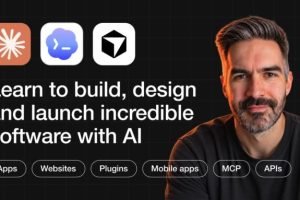

Inside Chris Ashby’s AI Product Academy
You have an app idea. Maybe it solves a problem you’ve experienced yourself. Maybe you’ve spotted something missing in your industry, or you have an idea for a small software tool that businesses would happily pay to use.
You open an AI coding tool, describe what you want, and within minutes, something starts appearing on the screen.
That first moment can feel exciting. But then the practical questions arrive.
Where will the user information be stored? w Howill people log in? How do payments work? What happens when something breaks? How do you test the application before releasing it? And, perhaps most importantly, how will anyone discover the product once it is ready?
Chris Ashby’s AI Product Academy is built around this bigger picture. Its focus is not simply generating code with AI. It is about understanding the journey involved in turning an idea into a usable product, preparing it for launch, and finding potential customers.
The archived 21-day roadmap version describes a structured path through product planning, AI-assisted development, design, payments, testing, deployment, and growth. It also includes different building approaches for web and mobile applications.
That makes the program particularly interesting for people who want to move beyond experimenting with AI tools and start thinking like product builders.
First, Decide What Is Worth Building
A common mistake among new AI app builders is starting with the tool instead of the problem.
They open Bolt, Cursor, or another AI coding platform and begin generating screens before deciding who the application is for or why anyone would need it.
The academy’s advertised roadmap puts product planning before development. This is an important part of the overall approach.
The early lessons focus on choosing an idea, exploring its potential, researching the market, defining a minimum viable product, selecting a pricing model, and mapping the user journey.
Find an Idea With a Clear Customer
A software product needs a specific purpose. An idea may sound impressive, but that does not automatically mean there is a market for it.
The planning material introduces ways to examine potential ideas and use AI-assisted research to investigate customer needs.
For example, imagine someone wants to create a booking application for independent fitness instructors. Before building it, they should understand how those instructors currently manage appointments, payments, cancellations, and customer communication.
That research may reveal that the most useful first version does not need dozens of features. It might only need scheduling, customer records, and payment handling.
The goal is to avoid spending time developing features before understanding the problem.
Define the MVP Before Adding Everything
An MVP, or minimum viable product, is a focused first version of a product that can be tested with real users.
The academy’s advertised planning stage includes defining an MVP and creating a user journey. These exercises help narrow the initial build to the features that matter most.
This is useful because AI tools make it relatively easy to request additional functionality. Without a clear plan, a small application can quickly turn into a confusing collection of features.
A focused product is easier to build, test, explain, and improve.
Think About Pricing Early
Another important planning decision is how the product might make money.
The roadmap includes choosing a business and pricing model before the development process is complete. That encourages learners to consider whether their idea is better suited to a subscription, one-time payment, usage-based model, or another commercial structure.
Pricing is not simply a number to add at the end. It affects what the product needs to deliver and how customers understand its value.
The Build Stage: Two Different Ways to Create Web Apps
Once the idea has been researched and the product scope has been defined, the academy moves into development.
The archived package describes two separate web-app building tracks: Bolt and Cursor.
These tools offer different workflows, so having separate tracks gives learners more than one way to approach the same general goal.
Building With Bolt
The Bolt track is presented as a way to create an application through AI-assisted development without having to begin by writing every part of the code manually.
The advertised lessons cover:
- Understanding how to prompt AI coding tools
- Creating the basic application structure
- Starting the initial build
- Setting up a database and authentication
- Connecting payment functionality
- Building and refining features
- Finding and fixing bugs
- Improving the application’s design
- Creating a landing page
- Testing the application
- Reviewing security and working with GitHub
- Understanding analytics and API usage
- Deploying the finished application
The interesting part is the attention given to the supporting infrastructure.
A product is more than the interface a visitor sees. It also needs a way to store information, manage users, process transactions, and handle the everyday tasks that allow the application to function.
The Bolt lessons are intended to introduce those practical requirements as part of the development process.
Frequently Asked Questions
1. What is Chris Ashby’s AI Product Academy?
It is an AI-assisted product-building program designed to help learners plan, build, design, launch, and grow software products using modern AI development tools.
2. Does the academy teach app development without coding?
The advertised roadmap includes beginner-friendly AI-assisted development workflows using tools such as Bolt and other app builders. Some tracks also introduce more code-oriented environments such as Cursor. No-code experience is not presented as a prerequisite, but learners still need to understand and test what they build.
3. Which tools are covered?
The archived course package references ChatGPT, Bolt, Cursor, Supabase, Convex, Polar, Vercel, Netlify, Vibecode, Rork, RevenueCat, Replit Designer, Superdesign, and Krea Nodes.
4. Does it cover mobile app development?
Yes. The archived package describes a separate mobile development track covering Vibecode, Rork, Supabase, RevenueCat, developer accounts, and app publishing workflows.
5. Does the training explain how to monetize an app?
The advertised curriculum covers business models, pricing, payment integration, subscriptions, and customer acquisition. It introduces the business considerations involved in creating a paid software product.
6. Does it teach how to find customers?
Yes. The archived roadmap includes waitlists, content marketing, short-form video, online communities, Product Hunt launches, and automated outreach.
Building With Cursor
The second web development path focuses on Cursor.
Rather than treating it as a simple alternative to Bolt, the course presents a separate workflow covering application structure, the technology stack, initial prompts, Git, backend setup, frontend setup, database testing, authentication, account management, payments, subscriptions, design, additional features, testing, and deployment.
This gives learners exposure to a more code-oriented development environment.
It can be useful for people who want to understand more about the structure of the application while still using AI to assist with development.
The distinction matters: AI-assisted coding can reduce the amount of manual code writing, but it does not remove the need to understand what the application is doing. Developers and founders still need to review generated changes, test important features, protect user data, and investigate problems.
Mobile Apps Get Their Own Learning Path
A web application and a native mobile application are not interchangeable projects.
Mobile development introduces additional considerations, including device compatibility, developer accounts, app store requirements, application permissions, and payment integration.
The archived academy package advertises a dedicated 17-lesson mobile track.
Its topics include:
- Understanding how mobile applications are structured
- Choosing the appropriate building tools
- Creating a mobile development workflow
- Working with Vibecode and Rork
- Connecting a database through Supabase
- Setting up authentication
- Building mobile features
- Creating app icons and store imagery
- Using RevenueCat for payments
- Working with App Store Connect
- Preparing applications for publication
The training also discusses Apple and Google developer accounts and the practical steps involved in getting an app ready for distribution.
This section may be especially relevant to entrepreneurs who want to create a mobile product rather than limit their idea to a browser-based experience.
One thing to remember is that publishing a mobile app can involve additional platform fees, developer accounts, review processes, and technical requirements. Completing a course does not guarantee approval or publication in an app store.
The Details That Make an App Feel Like a Real Product
A prototype can look impressive during a demonstration. A working product needs to handle situations that are less exciting but far more important.
What happens when a user forgets a password? What if a payment fails? Can someone manage their account? Does the application behave correctly when information is missing? Can the founder identify a problem before customers report it?
The advertised academy curriculum gives attention to several of these areas.
Database and authentication: Learn about storing application information and allowing users to access their accounts.
Payment integration: Explore how payment systems can be connected to a product, including one-time and subscription-based approaches.
Testing and debugging: Understand how to check functionality, investigate errors, and improve an application before launch.
Security: Introduce security reviews and safer development practices rather than treating security as an afterthought.
Deployment: Learn how a working application can be moved from a development environment to a live hosting platform.
The archived lessons reference tools including Supabase, Convex, Polar, Vercel, and Netlify. Tool availability, interfaces, and pricing can change, so learners should check current documentation when following older recordings.
The Design Side: Making the Product Easy to Understand
A functional application can still be difficult to use.
Poor navigation, inconsistent layouts, confusing buttons, and unclear onboarding can make even a useful product frustrating.
The academy’s advertised App Design material explores the visual and interface side of product development.
Topics include creating a design system, developing an application interface, and using AI-assisted design tools such as Replit Designer, Superdesign, and Krea Nodes.
The objective is to help builders think about the experience around the software, not just whether the code works.
A useful design process begins with understanding what the user needs to accomplish. The interface should make those actions clear and avoid adding unnecessary complexity.
This is particularly important for founders without a dedicated design team. AI can help generate layouts and visual assets, but the final product still needs human judgment about usability, consistency, and the needs of its intended audience.
Launch Day Is Not the Finish Line
Getting an application online is a milestone, but it does not automatically bring users.
The academy includes a launch stage, with an advertised lesson on launching through Product Hunt and other channels.
This section introduces the idea of preparing a product for public attention rather than simply publishing it and hoping people discover it.
A launch can involve preparing a clear product description, creating screenshots, explaining the problem the application solves, collecting early interest, and making it easy for people to try the product.
The archived roadmap also includes a 21-day structure, with launch activity forming the final stage after the planning and building process.
For new founders, this helps connect development with the commercial side of creating software.
Growing the Product: Four Ways to Find Potential Customers
The academy’s advertised Grow Your App section focuses on distribution. It discusses three broad pillars—content, outbound, and community—and includes practical examples of how a founder might use them.
1. Build Interest Before Launch With a Waitlist
A waitlist gives interested people a way to register before the product is fully available.
It can also help a founder understand whether the idea is attracting attention before investing further time in development.
A waitlist works best when the product’s intended audience and value are clearly explained. Collecting email addresses alone does not prove product demand.
2. Use Content to Explain the Product
Short-form video and other content formats can help explain what an application does and who it is designed for.
The training advertises lessons covering content creation and short-form video as part of the growth process.
For example, a founder building a scheduling tool could publish short demonstrations showing how a particular scheduling problem is solved. A finance app creator might explain the workflow behind a feature rather than posting generic promotional messages.
The most useful content gives potential customers a reason to understand the product.
3. Find Relevant Communities
Communities can be valuable places to learn about customer problems, gather feedback, and introduce a product where it genuinely fits.
The academy’s growth material discusses finding customers through communities.
This approach requires more than dropping promotional links into unrelated groups. Founders should understand the community’s rules, contribute useful information, and make sure the product is relevant to the people participating.
4. Explore Outbound Customer Acquisition
The archived curriculum also describes automated cold outreach and references tools such as Apollo, Instantly, LinkedIn, and HeyReach.
The purpose is to introduce founders to outbound methods for reaching potential customers.
Cold outreach still needs careful targeting, relevant messaging, responsible sending practices, and compliance with applicable marketing and privacy laws. Automation does not make an irrelevant message valuable.
What About AI Agents and Claude Code?
The archived package also lists additional material on AI agents and Claude Code.
The available index includes introductory topics involving n8n and the OpenAI Agents SDK, alongside a Claude Code introduction. However, some lessons and sections were marked as coming soon in the captured package.
That distinction matters when evaluating the product. A listed module title should not be mistaken for a complete, finished training section.
These topics may be useful additions for people interested in connecting applications with automated workflows or exploring newer AI-assisted development methods, but buyers should verify what is actually available in their version.
Who Is This Academy For?
The program is most relevant to people who want to build software products and are willing to work through both the technical and business sides.
- Aspiring founders: People with an app idea who need a structured path from research to a first release.
- Non-technical entrepreneurs: Business owners interested in using AI coding tools without starting with a traditional programming background.
- Freelancers and consultants: Professionals who want to develop software products or prototypes for their own businesses or clients.
- Creators and digital entrepreneurs: People exploring small software products, paid tools, or subscription-based applications.
- Early-stage product builders: Individuals who have experimented with AI coding but need a clearer approach to testing, payments, deployment, and customer acquisition.
It may be less suitable for experienced software engineers looking for advanced computer science, deep systems architecture, or specialized engineering instruction. The advertised emphasis is on product creation with AI-assisted tools.
What Makes the Program Worth Investigating?
The strongest feature of the archived roadmap is its breadth.
Many AI app-building tutorials concentrate on getting a prototype to appear on the screen. This program’s advertised curriculum goes further by connecting planning, development, design, payments, testing, deployment, and growth.
That wider perspective can help new builders understand why an application needs more than a clever prompt.
At the same time, tool-based training has a natural limitation: software changes quickly. A lesson recorded for one version of Bolt, Cursor, Rork, or another platform may not match the current interface. Learners should be comfortable checking updated documentation and adapting the instructions.
The quality of a finished product will also depend on the learner’s own testing, product decisions, security practices, and understanding of the customer.
Final Take: Learn to Build Something People Can Actually Use
Chris Ashby’s AI Product Academy is aimed at a bigger goal than generating an attractive app demo. Its central theme is the complete process of developing a product: identify a problem, validate an idea, define a first version, build it with AI assistance, make it usable, connect the necessary infrastructure, and introduce it to potential customers.
The archived 21-day roadmap offers a particularly broad introduction, with separate paths for Bolt, Cursor, and mobile development, followed by launch and growth material.
For someone who has plenty of software ideas but has not yet developed a clear process for bringing one to market, this approach may provide a useful starting framework.
The key takeaway is simple: building the app is only one part of building the business around it.
Before purchasing, confirm whether the offer includes the current official academy membership or an archived course package. Community access, live support, new lessons, and future updates should never be assumed to be included in a third-party download.
Course focus: AI app development, product validation, no-code and AI-assisted coding, mobile apps, SaaS foundations, app design, payments, deployment, product launches, and customer acquisition.



Reviews
There are no reviews yet.