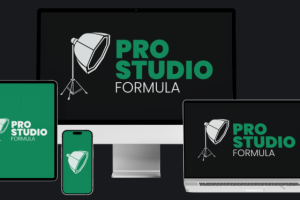

Adrian Salisbury – Pro Studio Formula: Build a Better Home Video Studio
Your Videos Deserve a Setup That Reflects the Quality of Your Work
You can have valuable knowledge, a useful product, and plenty to say, but the way you appear on camera still influences the first impression people get from your content.
Maybe your videos are recorded in a room with distracting objects in the background. Perhaps the lighting makes your face look darker than it should, or your camera angle never quite feels right. You might even have purchased equipment that seemed promising but have not figured out how to put everything together.
These are common frustrations for people creating videos from home.
Pro Studio Formula by Adrian Salisbury is designed to make the home-studio setup process easier to understand. Instead of beginning with an expensive equipment list, the course focuses on the practical elements that shape the finished image: your filming location, camera, framing, lighting, microphone, and background.
The idea is to create a recording environment that suits your brand, available space, and preferred style of content.
Whether you are recording lessons for an online course, making YouTube videos, hosting live sessions, or appearing on Zoom calls, the training provides a structured starting point for improving your setup.
What Is Adrian Salisbury’s Pro Studio Formula?
Pro Studio Formula is a video-production and home-studio training course created by Adrian Salisbury. Its focus is helping people create a more polished on-camera appearance without assuming they have a dedicated studio or extensive technical experience.
The official course page describes 11 lessons with approximately 69 minutes of training. It also presents seven practical studio examples and a recommended equipment list.
The training covers both smartphone and mirrorless camera setups, making it relevant to people working with different levels of equipment.
Rather than treating video production as a complicated technical project, the course breaks the process into manageable decisions. Learners are introduced to choosing a style, finding a suitable space, setting up a camera, understanding lighting, selecting a microphone, and arranging a background.
This is particularly relevant to creators who want to improve the presentation of their videos but do not know which changes will make the biggest difference.
What You Can Explore Inside Pro Studio Formula
1. Choosing a Studio Style That Fits Your Brand
Before arranging equipment, it helps to decide how you want your videos to look.
A bright and minimal background communicates something different from a darker, more dramatic recording environment. A professional consultant might prefer a clean office appearance, while a creative educator may want a more relaxed and colorful setting.
The course begins with a section on choosing your style. This gives learners an opportunity to consider their brand, the type of content they produce, and the impression they want to create.
Some useful questions to consider include:
- What kind of audience will watch these videos?
- Do you want a bright, natural appearance or a darker studio look?
- Will you record from a desk or while standing?
- Does your background need to show anything related to your work?
- Will the same setup be used for meetings, tutorials, and social media?
These decisions can help prevent unnecessary purchases. There is little point in buying equipment before understanding the type of recording environment you actually need.
2. Finding the Best Filming Space at Home
One of the most practical parts of building a home studio is identifying a suitable location.
Not everyone has a spare room that can be permanently dedicated to recording. Some creators work from bedrooms, shared offices, living rooms, or small corners of their homes.
Pro Studio Formula includes a lesson on finding your space, with the broader aim of showing how an existing room can be used more effectively.
A suitable recording location should be considered in terms of available space, lighting conditions, background possibilities, and how comfortably you can work there.
For example, a quiet corner near a window may be a good starting point for someone recording during daylight hours. Another person might prefer an office wall where lighting can be controlled more consistently.
The goal is not to make every home look like a commercial production studio. It is to identify a practical location and make deliberate use of what is already available.
3. Getting Better Results From Your Smartphone Camera
You do not necessarily need to purchase a dedicated camera before starting to create videos.
Many people already own a smartphone capable of recording useful video. However, simply opening the camera app and pressing record does not always produce the best result.
The course includes a dedicated lesson on using your phone camera. This is particularly relevant to beginners, coaches, and creators who want to improve their recording setup without immediately upgrading their equipment.
A smartphone recording setup can involve several practical considerations:
- Choosing the appropriate camera position.
- Keeping the lens at a suitable height.
- Framing yourself comfortably within the shot.
- Making sure the filming area has enough light.
- Checking that the background is not distracting.
- Recording a short test clip before filming the full video.
A few adjustments can make the recording process more predictable.
The course also distinguishes smartphone recording from mirrorless camera setups, allowing learners to explore the approach that best fits their available equipment.
4. Understanding Mirrorless Cameras and Lenses
For creators who want more control over their video production, a mirrorless camera may be worth considering.
However, buying a camera is only one part of the process. Lens choice, camera placement, framing, and lighting all influence the final image.
Pro Studio Formula includes a longer section covering different cameras and lenses. This provides a starting point for people who want to understand how a more dedicated camera setup can fit into their home studio.
The important thing is to choose equipment according to the type of videos you plan to create.
For example, someone recording seated educational videos may have different requirements from a creator filming demonstrations, interviews, or wider room shots.
It is also worth considering the space available. A camera and lens combination that works well in a large room may not be the most practical choice for a small bedroom or office.
The course’s equipment guidance can help learners consider their options before spending money on additional gear.
5. Framing Your Shot Correctly
Camera framing has a significant effect on how a video feels.
A camera positioned too low can create an unflattering angle. Too much empty space above your head can make the composition feel unbalanced. A distracting object near the edge of the frame may pull attention away from what you are saying.
The framing lesson focuses on how to position the camera and use the available space more intentionally.
When preparing a shot, consider:
- Whether the camera is at a comfortable height.
- How much of your upper body should be visible.
- Whether your eyes are positioned naturally within the frame.
- How much background should appear around you.
- Whether objects behind you compete with the main subject.
These details matter whether you are recording a YouTube tutorial, an online course lesson, or a short promotional video.
Good framing does not require complicated equipment. It begins with understanding how the camera sees the room and making small adjustments before recording.
6. Understanding Lighting and the Three Lighting Zones
Lighting is one of the most noticeable parts of video quality.
A room may look perfectly bright to your eyes, but the camera can produce a very different result. Your face might appear shadowed, the background may be too bright, or the image may look flat.
Pro Studio Formula includes a lesson on understanding lighting and describes three zones to consider when lighting a recording setup.
This topic is important because lighting should be planned around the person and the environment, not simply the number of lights in the room.
A useful lighting arrangement should help viewers see you clearly while keeping the background visually balanced.
For example, a creator filming near a window may need to consider how daylight changes throughout the day. Someone recording in a room with limited natural light may need an artificial lighting arrangement that provides more consistency.
The course introduces lighting as part of the overall studio-building process, helping learners understand why the position and quality of light matter.
7. Choosing the Right Microphone
Video quality is not only about what viewers see. Clear audio is equally important.
A video can have a well-arranged background and attractive lighting but still feel difficult to watch if the speaker is hard to hear.
The course includes a dedicated microphone lesson and describes two solutions for people recording with or without a desk.
This is useful because microphone placement and equipment requirements can change depending on the recording environment.
A desk-based creator may prefer a microphone positioned close to the speaking area. Someone who moves around while teaching may need a different arrangement.
Before recording, it is sensible to test the sound, listen for background noise, and make sure the microphone captures your voice clearly.
Choosing a microphone should be based on your recording style and environment rather than buying the most expensive option available.
8. Designing a Background That Looks Intentional
A background does not have to be expensive to look good.
Sometimes a few carefully selected objects, suitable furniture placement, and a clean arrangement can make a recording space feel much more organized.
Pro Studio Formula includes a lesson on designing your background and finding inspiration from other creators.
This section is particularly relevant to people who record from rooms that were not originally designed for video production.
A useful background can reflect your brand and personality without becoming the main attraction.
For example, a business coach might choose a simple office environment, while an educator could include books or relevant materials that support the subject being discussed.
The important distinction is between a background that supports the content and one that distracts from it.
The course also provides seven studio examples, showing different ways spaces can be arranged. These examples are useful for thinking about how a similar room might be adapted to create a different look.
9. Seven Practical Studio Build Examples
Learning the individual parts of a studio setup is helpful, but seeing how those elements work together can make the process easier to understand.
The official Pro Studio Formula page describes seven studio examples.
The examples include different rooms and arrangements, such as:
- A guest bedroom setup that demonstrates how to work with limited space.
- A darker visual style created in the same room.
- An office setup using a different corner of the room.
- A brighter version of an office recording environment.
- A filming arrangement in a lounge.
- A second lounge setup using available items.
- A transformation of a cluttered spare room into a more polished filming space.
These examples demonstrate that a useful recording environment does not have to follow one fixed design.
The same room can sometimes produce different visual results simply by changing the camera direction, lighting, background arrangement, or available furniture.
For learners who find it difficult to imagine how their own rooms could work on camera, practical examples can be particularly valuable.
10. Improving Your Appearance During Live Streams and Online Meetings
Your video setup is not only useful for recorded content.
If you regularly attend Zoom meetings, host online workshops, conduct consultations, or teach through live sessions, the way you appear on camera also becomes part of your professional presentation.
Pro Studio Formula includes a lesson on live streaming and meetings.
The basic principles of a recording setup still apply: a suitable camera angle, clear lighting, an appropriate background, and understandable audio.
However, online meetings may require a slightly different arrangement from a carefully planned YouTube recording.
For example, you may need a setup that is easy to switch on, works consistently throughout the day, and does not require rearranging the entire room before every call.
Improving this environment can make it easier to maintain a consistent on-camera appearance across different types of online communication.
11. Preparing Your Setup for Vertical Video
Short-form video has become an important format across social media platforms.
Creators often need to produce vertical videos for platforms such as Instagram Reels, TikTok, and YouTube Shorts alongside traditional horizontal recordings.
The course includes a dedicated lesson called Going Vertical.
This section addresses the need to adapt your recording approach for a different screen format.
Vertical recording requires attention to framing and background space. A setup designed for a wide horizontal shot may not translate perfectly when the camera orientation changes.
Planning for vertical content can help creators produce videos that fit their intended platform without relying on awkward cropping or poorly positioned subjects.
For people who create multiple types of content, understanding how to adapt a studio for both orientations can make the recording environment more flexible.
Who Should Consider Pro Studio Formula?
This course may be a useful starting point for:
- YouTubers: Creators who want to improve their home recording environment.
- Online coaches: Professionals who regularly record lessons, tutorials, and promotional videos.
- Course creators: Educators preparing video lessons for online learning platforms.
- Consultants: Business owners who use video calls and recorded content to communicate with clients.
- Entrepreneurs: People building a personal brand through video.
- Social media creators: Individuals producing vertical content for platforms such as Instagram and TikTok.
- Beginners: People who want to understand camera, lighting, and background basics without getting overwhelmed by technical terminology.
The training may be particularly suitable for someone who already has a phone or camera but has not yet developed a comfortable recording setup.
What Makes This Course Different?
The appeal of Pro Studio Formula is its relatively narrow focus.
It is not presented as a complete video-editing, filmmaking, or advanced cinematography program. Instead, it concentrates on the environment in which you record and the basic equipment decisions that influence how you appear on camera.
That makes the training easier to evaluate.
If your biggest frustration is choosing a filming location, positioning your camera, arranging lighting, or making your background look more intentional, the course topics are directly relevant.
The seven studio examples also add a practical dimension. Rather than considering every room as a blank space that requires expensive renovation, learners can explore how existing rooms might be adapted.
The course is relatively short, with approximately 69 minutes of lessons described on the official page. It is therefore best viewed as focused setup training rather than a lengthy professional video-production qualification.
Final Thoughts: Is Pro Studio Formula Worth Exploring?
Adrian Salisbury’s Pro Studio Formula is built around a problem many online creators face: wanting their videos to look professional without turning home recording into an expensive technical project.
The training covers the essential parts of a home video setup, from choosing a suitable room and camera to improving lighting, microphone placement, framing, and background design. Its seven practical studio examples provide additional ideas for working with different spaces.
For someone who regularly appears on camera but is unhappy with their current recording environment, the course offers a focused collection of lessons to explore.


Reviews
There are no reviews yet.