
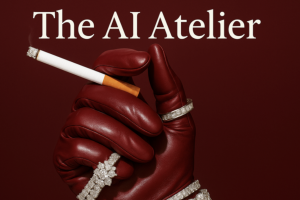

The AI Atelier Update 1: A New Creative Workflow for the AI Era
Picture a brand preparing to launch a new product.
It needs campaign images, lifestyle scenes, product mockups, social content, perhaps a short cinematic video. Traditionally, this could mean organizing a photoshoot, finding the right location, arranging models, hiring a photographer, and spending time coordinating the entire production.
Now imagine beginning with a creative brief, developing a visual direction, and using AI tools to build the scenes digitally.
That is the creative possibility explored in The AI Atelier by Niko X Studios.
This is not simply a collection of prompts for generating attractive pictures. The program is presented as a broader training experience for people who want to develop AI-assisted visual production skills and potentially turn those skills into a professional service.
The interesting part is the combination of creative work and business development. Learning to generate an impressive image is one thing; understanding how to create a consistent visual identity, work from a client’s brief, deliver a finished project, and communicate the value of that work is another.
The AI Atelier brings these areas together.
A Different Way to Think About Design Production
AI image generation can make it tempting to experiment endlessly. Change a prompt, generate another image, adjust a style, and repeat.
That approach can be entertaining, but professional creative work needs more direction.
A brand does not usually need a random collection of beautiful images. It needs visuals that fit its identity, appeal to its audience, communicate a particular message, and work across the intended campaign.
The AI Atelier’s advertised approach puts emphasis on developing an AI aesthetic and building a repeatable creative workflow.
This means thinking about the visual outcome before generating it. What is the mood? What should the lighting communicate? Which colors belong in the scene? How should the product appear? What kind of environment supports the brand?
These decisions help turn AI generation from casual experimentation into a more deliberate design process.
Frequently Asked Questions
1. What is Niko X Studios – The AI Atelier?
The AI Atelier is an AI visual creation and creative business training program. It covers AI image generation, prompt engineering, cinematic video creation, client acquisition, project delivery, and creative workflow automation.
2. What does The AI Atelier teach?
The advertised curriculum covers AI design foundations, creative tools, advanced prompting, visual direction, cinematic video, client outreach, pricing resources, project management, and studio automation.
3. Is The AI Atelier suitable for beginners?
The official academy markets the program to people without previous design experience. Beginners should still expect to practice with the tools and develop their visual judgment over time.
4. Does the course teach AI image generation?
Yes. AI image creation and advanced prompting are central subjects, with an emphasis on producing more controlled, professional-looking visuals.
5. Does it include AI video training?
Yes. The official curriculum includes a dedicated AI Art Film School section focused on creating cinematic AI video scenes.
6. Does The AI Atelier cover Midjourney?
Third-party descriptions identify Midjourney among the tools associated with the course. Confirm the exact software lessons in the Update 1 package before purchasing.
Inside the Creative Workshop
The official academy describes its curriculum as a 15-module program, organized around several stages of development.
1. Mindset, Tools and Creative Workflow
The starting point is understanding the opportunity and developing a foundation for working with AI visuals.
The advertised opening modules introduce the AI aesthetic system and the mindset behind building a creative practice. This is useful because the quality of an AI-generated visual depends on more than the software being used.
Creators need to develop an eye for composition, consistency, visual references, and the relationship between an image and the brand it represents.
A useful workflow also reduces unnecessary trial and error. Rather than generating images without a clear objective, the creator works from a concept and makes decisions that move toward a defined result.
2. Build a Practical AI Creator’s Toolkit
The next stage introduces the tools, technical foundations, and creative considerations involved in AI production.
The official curriculum calls this section The Ground Game – Mastering Tools, Tech & Creative Ethics.
This matters because AI design is not one single application. Different tools may be useful for image generation, editing, prompt development, video production, and organizing projects.
The aim is to understand what each part of the toolkit contributes and how the pieces fit together.
Ethical considerations also matter. Creators should pay attention to image rights, licensing, consent, brand permissions, and whether a generated visual could mislead viewers. Commercial projects require more care than casual personal experiments.
3. Learn to Direct AI Through Better Prompts
Prompting is one of the central skills associated with The AI Atelier.
A prompt is more useful when it communicates a visual intention rather than simply naming an object or style. Details such as composition, camera perspective, lighting, materials, environment, mood, and subject placement can influence the direction of the output.
The official course divides this subject into two stages:
- Prompting 101 – The Niko Framework
- Prompting 201 – Pro Level Tactics
The advertised framework is intended to help learners move from basic instructions toward more deliberate creative control.
For example, a request to create a luxury product photograph is broad. A more developed creative brief might specify the product’s placement, surface materials, lighting direction, background, lens perspective, color palette, and overall art direction.
This gives the generation process more structure and makes it easier to evaluate the results against a real brief.
The course also promotes the use of detailed prompt systems and a Niko Prompt Bot as part of its official academy offer. Verify whether the bot and associated resources are included in the particular Update 1 package being sold.
4. Create Images That Feel Like Real Scenes
A good image often tells a story before the viewer reads a single word.
This is especially important in fashion, beauty, product advertising, and brand campaigns. A visual may need to communicate luxury, simplicity, energy, comfort, or a particular lifestyle.
The official curriculum includes a module called Directing for Impact – Build Images That Feel Like Scenes.
This is an important distinction between generating an isolated object and directing a complete visual composition.
Creators need to think about the relationship between the subject and its surroundings. A product should belong in its environment. Lighting should support the intended mood. The composition should guide attention rather than distract from the main subject.
The official academy showcases several example categories, including fashion editorials, beauty close-ups, jewellery visuals, luxury product scenes, food imagery, lifestyle mockups, architecture, home décor, digital products, and UGC-style content.
These examples illustrate the range of creative applications the academy promotes.
5. Bring Static Concepts to Life With AI Video
Still images are only one part of modern digital production.
Brands also need motion content for social platforms, campaign videos, product demonstrations, and visual storytelling. The AI Atelier curriculum includes a dedicated section called The AI Art Film School – Bringing Cinematic Shots to Life.
The focus is on using AI to develop moving visual scenes rather than treating video generation as a completely separate creative discipline.
A creator needs to consider how a scene begins, what happens during the shot, how the camera appears to move, and how the visual connects with the next sequence.
A useful cinematic workflow also requires consistency. Subjects, clothing, products, environments, and lighting should not change unpredictably between shots.
AI video tools can help explore these ideas, but the results still need editing and quality control. Motion artifacts, distorted details, inconsistent objects, and unnatural transitions can undermine an otherwise strong concept.
6. Understand the Client’s Brief Before Creating
Producing a portfolio-worthy image is satisfying. Producing something that solves a client’s actual creative problem is a different responsibility.
The AI Atelier’s client section begins with The Client First Foundation.
This part of the program moves the discussion from creative experimentation toward professional service delivery.
A client may arrive with a rough idea rather than a complete brief. The creative professional needs to understand the intended audience, brand identity, project requirements, visual references, deliverables, and deadline before beginning production.
Clear communication at this stage helps prevent misunderstandings later.
It also helps establish realistic expectations about what AI-generated content can and cannot achieve.
7. Turn Creative Skills Into Client Opportunities
The official academy includes a module titled The Client Magnet Kit – Outreach & Sales.
This is particularly relevant to freelancers and people interested in building an AI production studio.
The ability to create attractive visuals does not automatically lead to paid projects. Potential clients need to understand what the service offers, why it is useful, and how the creator can help with a particular business requirement.
The academy advertises a client acquisition blueprint alongside resources such as proposal templates, pricing guides, and frameworks.
These materials are intended to help learners approach the commercial side of creative work more systematically.
For example, a freelancer might specialize in AI-assisted product imagery for small e-commerce brands. Another might focus on fashion campaign concepts, social video, or visual assets for digital products.
A focused portfolio can make the service easier for potential customers to understand.
The important point is to build an offer around a real client need rather than trying to sell AI images simply because they were generated with new technology.
8. Manage Projects From Onboarding to Delivery
A professional creative project involves more than producing the final image or video.
There are discussions, approvals, revisions, deadlines, file organization, and final handoffs. Without a clear process, even a talented creator can struggle to manage multiple clients.
The course advertises a dedicated module called Delivery – From Onboarding to Final Handoff.
This area is relevant to anyone planning to work independently or operate a small creative studio.
A well-managed project should make clear what the client is receiving, how feedback will be handled, how many revisions are included, and when final files will be delivered.
It is also useful to maintain an organized record of project requirements, approved concepts, and final assets.
9. See How a Real Client Project Comes Together
The official curriculum includes a project walkthrough described as a real client case study involving a $5K project.
A case study can be useful because it connects separate skills into one practical example.
Instead of learning prompting, client communication, visual production, and delivery as isolated subjects, learners can see how those activities fit into a project workflow.
The advertised case-study value should be understood as the stated project value, not a promise that learners will secure projects at the same price.
The value of this type of demonstration is in understanding the decisions and workflow involved.
10. Choose a Creative Business Direction
Not every learner needs to build the same kind of business.
The academy’s curriculum identifies three possible paths: freelance, agency, or in-house.
A freelancer may work directly with brands and manage projects independently. An agency may coordinate multiple creative professionals and provide a wider range of services. An in-house creator may use AI tools as part of an existing marketing or design team.
Each direction comes with different responsibilities.
Freelancers need to develop client relationships and manage their own operations. Agencies need repeatable systems and quality control. In-house professionals need to work within a company’s brand guidelines and existing production process.
Exploring these paths helps learners consider where AI visual skills might fit into their working life.
11. Use Systems and Automation to Organize the Studio
The final stage of the official curriculum focuses on running a creative studio and using automation.
Its advertised modules include Running Your Studio – Marketing, Systems & Smooth Delivery and Work While You Sleep with Automation.
Automation can be useful for repetitive administrative tasks, project organization, and parts of a creative workflow.
However, automation does not remove the need for creative judgment. A human still needs to review the output, check quality, communicate with clients, and make decisions when a project changes direction.
The broader lesson is that a creative business needs systems as well as creative ability.
Who Is This Training For?
Graphic designers and visual artists who want to explore AI as an additional production tool and expand the range of visuals they can create.
Freelancers interested in offering AI-powered imagery, product visuals, or short-form video as a paid service.
Content creators who want to develop more distinctive visual assets for social media, personal brands, and digital campaigns.
Marketing agencies looking to understand how AI production can fit into their existing creative services.
E-commerce entrepreneurs who want to explore AI-generated product scenes, lifestyle mockups, and campaign concepts.
Creative beginners interested in learning visual direction and AI workflows without assuming they already have professional design experience.
What Makes the Business Side Worth Exploring?
Many AI design tutorials concentrate almost entirely on the output: the image, the video, or the prompt.
The AI Atelier’s official program takes a wider approach by including client acquisition, onboarding, proposals, pricing, project delivery, and studio automation.
That broader structure is relevant because creative work becomes a service business only when someone can consistently understand a client’s requirements and deliver something useful.
The training may provide a starting framework, but learners still need to develop their own portfolio, practice with the tools, communicate professionally, and understand the commercial terms of each project.
Before Purchasing the Update 1 Package
The name Update 1 appears in third-party listings, while Niko X Studios’ official page currently advertises its AI Atelier Academy as a 15-module program with 40+ hours and 79+ lessons.
These descriptions do not independently prove that every feature of the current official academy is included in a separate Update 1 download.
Before purchasing, check the exact package and confirm:
- Which lessons and modules are actually included.
- Whether the AI Prompt Bot is included.
- Whether prompt libraries and resource kits are supplied.
- Whether community access and live office hours are included.
- Whether portfolio reviews and live sessions are available.
- Whether lifetime updates apply to the purchased version.
- Whether any AI software subscriptions or usage credits cost extra.
A third-party download should not be assumed to include the original creator’s support, community, or future updates.
Final Perspective
The AI Atelier is best understood as a combination of creative training and business development.
It explores how to direct AI image generation, develop brand-focused visuals, create cinematic video, and turn those abilities into a structured creative service. Its advertised curriculum goes beyond prompting by addressing the practical work of finding clients, managing projects, and organizing a studio.
For designers and aspiring AI creators, the strongest appeal is the connection between visual craft and professional delivery. The software can help produce the material, but the creative direction, consistency, communication, and quality control are what make the finished work useful.
Approach the training as a framework to practice and adapt, rather than a shortcut to guaranteed freelance income.


Reviews
There are no reviews yet.