
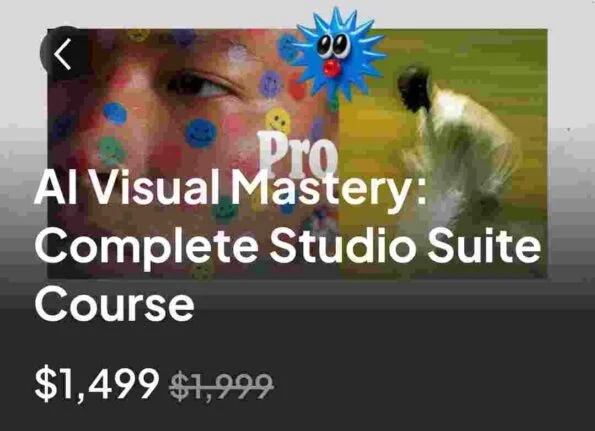

Inside the AI Visual Studio: What Ohneis AI Visual Mastery Is Designed to Teach
Imagine receiving a creative brief from a client.
They do not want one attractive image. They need a complete visual campaign: several product scenes, consistent lighting, matching brand aesthetics, multiple compositions, and perhaps a short video to accompany the campaign.
You open an AI image generator and start experimenting. One result looks excellent, the next has a completely different style, and the third changes the product details. You keep adjusting prompts, generating alternatives, and trying to make everything look like it belongs to the same project.
That is the difference between generating an image and operating a visual production system.
Ohneis – AI Visual Mastery – Complete Studio Suite is built around this second approach. The training focuses on developing greater control over AI-generated visuals, organizing creative workflows, and connecting image production with video, branding, and commercial applications.
Instead of treating prompting as a collection of clever sentences, the program approaches it as part of a wider creative discipline.
The studio workflow, broken into stages
<text-placeholder></text-placeholder>
Stage 1 — Learn to direct the image, not just request it
The foundation material focuses on intentional AI image creation. This is where the difference between a vague prompt and a useful creative brief becomes important.
A basic instruction might describe a person standing in a room. A more developed creative direction considers the subject, environment, camera perspective, lighting, composition, materials, mood, and intended visual style.
The reported foundation lessons explore:
- Moving beyond random prompting
- Developing visual instincts
- Understanding the technical language of AI image generation
- The core principles of professional image creation
- Building a stronger relationship between creative vision and prompt structure
The objective is to become more deliberate about the output you are asking an AI model to produce.
For a designer, this can mean learning how to describe a visual concept with greater precision. For a content creator, it can mean producing images that feel more connected to a recognizable aesthetic.
Stage 2 — Develop a recognizable visual identity
One successful image does not automatically create a visual brand.
If every image looks unrelated, it becomes difficult to establish a consistent creative identity. This is particularly important for businesses that publish content regularly or need a recognizable style across different platforms.
The reported curriculum includes a signature AI style system, Visual DNA concepts, and the Alpha Framework.
These subjects are intended to help learners develop a repeatable approach to visual style rather than starting from zero with every new generation.
Consider a brand that uses warm lighting, clean product compositions, particular colors, and a distinctive photographic atmosphere. A well-developed style system can help translate those creative preferences into a more consistent set of instructions.
The same principle can apply to:
- Social media content
- Product advertising
- Personal-brand visuals
- Editorial imagery
- Campaign creative
- Digital artwork
- Branded illustrations
The practical challenge is maintaining consistency while still allowing enough creative variation for different projects.
Stage 3 — Build a prompt-production system
Prompt writing can become inefficient when every project requires a completely new process.
The course materials describe a prompt-generation stage focused on creating more organized and reusable prompt systems.
Reported topics include:
- Building a professional prompt factory
- Developing structured prompt frameworks
- Refining generated images through iteration
- Using structured formats such as JSON prompting
- Adapting prompts across multiple AI tools
This is where the training moves from individual prompt experiments toward a repeatable production method.
For example, a creative professional might develop a reusable structure for commercial product photography. The structure could define the subject, background, camera angle, lighting, composition, material details, and image mood.
A new project can then use the same framework with different products or creative requirements.
That does not mean every generation will be perfect. AI models can interpret instructions inconsistently, and different tools have their own strengths and limitations. A structured workflow simply makes experimentation more organized.
Stage 4 — Apply the system to commercial visual styles
AI-generated imagery has many possible applications, but the requirements change depending on the project.
A product advertisement needs a different visual treatment from a cinematic portrait. An athletic campaign may require energetic compositions and dramatic lighting, while a luxury product image might depend on controlled reflections, textures, and careful presentation.
The reported curriculum includes style categories and commercial applications, including photography-focused lessons.
This gives learners a chance to consider how creative direction changes according to the intended use of an image.
Rather than asking only whether an image looks impressive, a more useful question is whether it communicates the right message for its intended audience.
For client work, that distinction matters. A visually striking image can still be unsuitable if it does not match the brand, product, campaign, or customer expectations.
Stage 5 — Connect ChatGPT and Midjourney
A particularly interesting part of the program is the reported ChatGPT-to-Midjourney workflow.
Different AI tools can serve different roles in a creative pipeline. A language model can help organize ideas, expand a visual brief, or develop structured prompt instructions. An image-generation platform can then be used to create the visual output.
The training describes combining ChatGPT with Midjourney to build a more connected creative process.
This can be useful when a project involves several related images and requires a clear visual direction before generation begins.
A possible workflow looks like this:
- Define the campaign objective.
- Describe the visual identity and intended audience.
- Develop a detailed creative brief.
- Translate the brief into structured image instructions.
- Generate visual options in Midjourney.
- Review the results against the original brief.
- Refine the prompt and regenerate where necessary.
The goal is to reduce disconnected experimentation and make the creative process easier to repeat.
Stage 6 — Turn still images into motion
The program also moves into AI video production.
Static imagery can be useful for product campaigns, social media graphics, and visual storytelling. But many creative projects also require motion.
The reported Prompt-to-Reel pipeline covers AI video workflows, with tools such as Runway and Pika mentioned in the available course descriptions.
The associated subject areas include:
- Preparing still images for motion
- Writing motion-oriented prompts
- Developing visual sequences
- Connecting image generation with video tools
- Creating more deliberate movement and camera effects
- Finishing and refining video outputs
The important skill here is understanding that a strong still image and a strong video are not exactly the same thing. Motion introduces additional challenges: subject stability, movement direction, scene continuity, timing, and unwanted visual changes.
AI video tools can produce impressive results, but they may also introduce distortions or inconsistent details. Reviewing and refining the output remains part of the production process.
Stage 7 — Develop deeper visual language
The advanced visual-language material goes further into the decisions that shape a professional-looking image.
Reported lessons include subjects such as:
- Lighting setups and visual mood
- Camera techniques
- Composition principles
- Material and texture representation
- Color theory and emotional impact
- Prompt architecture
- Precision control and image refinement
These are useful concepts because AI models still respond to the way a creative direction is expressed.
Someone who understands lighting can describe the difference between soft studio illumination and dramatic directional light. A person familiar with composition can make more deliberate decisions about negative space, subject placement, and visual balance.
The purpose is to give creators a stronger vocabulary for directing images instead of relying entirely on trial and error.
Stage 8 — Keep characters consistent across projects
Character consistency is one of the more demanding challenges in AI image production.
A character might look excellent in one image but change facial features, clothing, proportions, or other details when placed in another scene.
The reported course material includes a dedicated Character Consistency Pipeline, with references to Midjourney v7, LoRA training, and hybrid workflows.
This subject is relevant to creators working on:
- Repeated character-based social content
- Illustrated stories
- Brand mascots
- Campaign sequences
- Consistent fictional personalities
- Visual projects requiring multiple scenes
The wider goal is to build a workflow that helps preserve important visual characteristics across different generations.
It is worth keeping expectations realistic: character consistency depends on the tools, model capabilities, training material, prompt quality, and workflow. No system can guarantee identical results across every image.
Stage 9 — Think like a visual director
The final part of the learning journey moves beyond technical execution.
A visual director needs to understand the bigger picture: what the project is communicating, how its images fit together, and whether the final assets support the intended brand identity.
The reported Strategic Visual Direction module explores building cohesive visual systems and moving toward a more strategic creative role.
That shift can be important for freelancers and small creative studios. Instead of simply accepting a prompt and generating an image, a more strategic service provider can help shape the visual direction of a campaign.
This may involve understanding the client’s brand, selecting an appropriate visual style, planning the creative assets, and maintaining consistency across deliverables.
The business side: turning creative skills into services
The Complete Studio Suite is not limited to image and video production. Its reported advanced curriculum also includes an AI Business Accelerator.
The business material is associated with topics such as:
- Entering AI-focused freelance work
- Finding and approaching potential clients
- Packaging creative services
- Organizing client projects
- Scaling production workflows
- Developing digital products and knowledge-based offers
This is useful context for someone who wants to apply the creative skills commercially.
A freelancer might offer AI product imagery, campaign visuals, or short-form video production. A small agency might use AI tools to support creative production. An experienced designer could add AI-assisted visual development to an existing service portfolio.
However, learning a business framework does not guarantee clients, revenue, or a particular monthly income. Commercial success still depends on the quality of the work, positioning, demand, pricing, client communication, and delivery.
Who should consider this training?
The program may be relevant to:
- AI image creators who want more control over their visual output.
- Graphic designers exploring AI-assisted production systems.
- Video creators interested in combining AI-generated images with motion.
- Freelancers developing commercial visual services.
- Agency owners exploring repeatable creative production workflows.
- Brand builders who need a more consistent visual identity.
- Digital entrepreneurs interested in AI-powered creative products and services.
People who only want a quick introduction to one image-generation tool may find the wider curriculum more advanced than they need.
Frequently Asked Questions
1. What is Ohneis AI Visual Mastery – Complete Studio Suite?
It is an AI visual production training program focused on image generation, advanced prompting, creative workflows, AI video, character consistency, visual direction, and business applications.
2. Who created the course?
The course is associated with Andreis Ohneisser, who publishes AI visual creation products under the Ohneis name.
3. What will I learn?
The reported curriculum covers intentional AI image creation, signature style development, prompt systems, commercial visual applications, ChatGPT-to-Midjourney workflows, AI video production, visual language, character consistency, and strategic art direction.
4. Does the course cover AI video creation?
Yes. The reported advanced curriculum includes a Prompt-to-Reel workflow and discusses tools such as Runway and Pika.
5. Does it teach character consistency?
Yes. One reported module focuses on character consistency using workflows associated with Midjourney v7, LoRA training, and hybrid systems.
6. Is this course suitable for freelancers?
It may be useful for freelancers who want to develop AI-assisted visual services. The reported business material also covers client acquisition, service delivery, and project scaling.
What to check before enrolling
The Complete Studio Suite is described through a 13-module curriculum in third-party listings. The exact contents, file formats, software requirements, and support arrangements should be checked against the specific edition being offered.
It is also important to remember that AI platforms change quickly. Midjourney, Runway, Pika, and other tools may update their interfaces, models, pricing, and features. A lesson recorded for an earlier version may require some adaptation.
For the best experience, learners should be prepared to experiment, compare outputs, and apply the concepts to real creative projects.
Final studio note
Ohneis AI Visual Mastery – Complete Studio Suite is aimed at people who want to approach AI visuals as a production discipline rather than a prompt-based hobby.
Its reported curriculum connects image generation, style development, advanced prompting, video workflows, character consistency, art direction, and business applications. That breadth makes it interesting for creators who want to develop a more complete AI-powered creative workflow.
The strongest reason to explore the program is its focus on connecting the individual parts of production into a coherent system. The real value, however, comes from applying those ideas to original projects and building a portfolio that demonstrates what you can actually create.
Reviews
There are no reviews yet.