
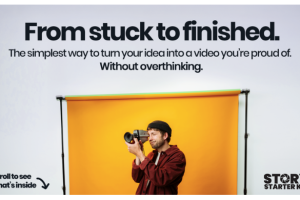

Tim Runia – Story Starter Kit: A More Thoughtful Way to Make Your Next Video
There is a familiar moment in video creation: you have an idea, perhaps even a location and a camera ready, but you are not quite sure what to film. You record a few clips, collect some interesting angles, and tell yourself that the story will come together later. Then you open your editing software and discover that you have plenty of footage but no clear direction.
That gap between having an idea and finishing a video is what the Story Starter Kit by Tim Runia is designed to address.
Rather than treating filmmaking as a collection of disconnected technical skills, the kit puts structure around the creative process. It gives you a way to think through a story, translate it into a shot list, capture footage with a purpose, and move into editing with a clearer plan. The emphasis is on making the work feel manageable, especially when you are still developing your own approach to storytelling.
The real starting point is the story, not the camera
A camera can record a beautiful image, but a collection of beautiful images does not automatically become an engaging video. A viewer needs a reason to keep watching. They need some sense of what is happening, why it matters, and where the experience is going.
This is the creative problem behind the Story Starter Kit.
The advertised Story to Shotlist Templates are intended to help you take an initial idea and organize it into a filming plan. Instead of relying on inspiration alone, you have a framework to help decide what the video is about and what footage could communicate that idea.
That can be particularly useful for creators who tend to overthink their projects. When the next step is unclear, even a simple video can feel like a large undertaking. A written plan gives the project a starting point and makes the filming process less dependent on improvisation.
From a loose idea to a workable shot list
One of the central resources is the story-to-shotlist material. The idea is straightforward: turn the story you want to tell into a sequence of shots you can actually capture.
This changes the way you approach a shoot.
Rather than arriving with a vague intention to film something interesting, you can think about the images that will help communicate the experience. What needs to be shown? Which details help establish the scene? What footage gives the viewer a better understanding of the moment?
The kit advertises fillable templates, including an object-focused version and examples. These resources provide a practical starting point for organizing a project before you begin recording.
For someone making a personal film, that might mean planning a small sequence around an everyday object or experience. For a travel creator, it could mean thinking beyond scenic wide shots and considering the details, movement, and moments that give a place its character. For a YouTube creator, it can help bring more intention to the footage used to support a spoken story.
The templates are not a replacement for creative judgment. They are there to help you make decisions before the editing timeline becomes crowded with clips.
The 16 Shots Guide: Give every frame a reason to exist
The next part of the kit is the 16 Shots Guide.
Knowing that you should capture more footage is one thing. Knowing what kind of footage to capture is another. This guide is presented as a reference for essential shots, explaining what to film and why those shots can be useful when building a story.
That distinction matters.
A beginner might record a wide view of a location and assume the scene is covered. But a finished sequence often needs more than one perspective. Details, different angles, and shots that provide context can help make the final edit feel more complete.
A shot guide gives you a reference to consider while planning and filming. You can use it to think about the variety of footage a scene might need rather than returning home with several clips that all communicate roughly the same thing.
It can also be useful when you are working under time constraints. When you have a clear idea of the footage you want, you can spend less time wondering what to record and more time paying attention to the actual environment and moments in front of you.
Editing becomes less intimidating when the project is already structured
For many creators, the editing stage is where a promising project slows down.
The footage is there, the software is open, and the timeline is waiting. But there are so many possible cuts, transitions, music choices, and pacing decisions that it becomes difficult to know what to do first.
The Story Starter Kit addresses this with pre-built editing projects. The creator advertises templates for:
- Adobe Premiere Pro
- DaVinci Resolve
- Final Cut Pro
- CapCut
These projects offer a practical way to explore how a story-driven edit can be organized. Instead of beginning with a completely empty timeline, you have a prepared project to learn from and work with.
This is particularly helpful for people who learn by following an example. You can examine the structure, understand how the supplied project is arranged, and use the walkthroughs to follow the process.
Keep in mind that the templates are editing starting points, not a promise that every project will work identically across every software version or operating system. Check the current product instructions and compatibility information before purchasing or distributing the kit.
Seven walkthrough videos to connect the pieces
Templates and written guides are useful, but they can leave questions when you are trying to apply them to a real project. The advertised seven short video walkthroughs are intended to bridge that gap.
They guide users through the process from the initial idea toward a finished video. This gives the kit a practical, follow-along format rather than relying entirely on downloadable documents.
For a beginner, seeing a process demonstrated can make it easier to understand how the different resources fit together. You can work through the materials, pause when needed, and apply the ideas to your own footage.
The value here is not simply the number of videos. It is how the walkthroughs connect planning, filming, and editing into one creative workflow.
Who might get the most from this kit?
The Story Starter Kit is aimed at people who want to create more intentional videos but need help getting from the first idea to the final export.
New filmmakers may appreciate having a starting structure instead of trying to figure out every part of the process independently.
YouTube creators can use the planning approach to bring more purpose to the footage supporting their videos. It may be especially relevant to creators who want their work to feel more considered than a sequence of unrelated clips.
Travel and lifestyle videographers may find the shot-planning resources useful when documenting places, experiences, and everyday moments.
Creators who already know editing software may benefit from having a more organized approach before they start cutting footage. The kit is not only about learning where editing buttons are; it is also about thinking through the material before editing begins.
People who struggle to finish projects may find the structure helpful because it gives them a clearer next action at each stage.
What this kit is not
It is worth setting realistic expectations.
The Story Starter Kit is not advertised as an advanced cinematography qualification, a professional film-school program, or a guaranteed path to building a successful YouTube channel. Its appeal is more focused: helping creators plan and complete a story-driven video using templates, shot guidance, editing projects, and walkthroughs.
You will still need to develop your own creative judgment. You will need to film your own material, make decisions about pacing, and practice using your chosen editing software. A template can make the process easier to approach, but it cannot replace the experience of making videos.
It is also sensible to check the exact version and included files before purchasing. The creator’s current sales page describes the core kit and lifetime access to bonus extras, but the availability of future updates and any particular bonus should be confirmed at checkout.
A simple workflow to take into your next project
The most useful way to approach a resource like this is to apply it to one small video rather than trying to master everything at once.
Start with an idea that can be communicated in a short piece. Use the planning templates to give that idea a direction. Then refer to the 16 Shots Guide as you decide what footage you need. Once you have filmed, open the relevant editing project and follow the walkthroughs as you shape the material into a finished sequence.
A small completed project can teach you more about your creative habits than a folder full of unfinished plans.
You will begin to notice which parts of the process slow you down, which shots you tend to forget, and where you need more practice. Those observations can guide the next project.
Final thoughts: A useful starting structure for creators
The Tim Runia Story Starter Kit is built around a practical idea: good video storytelling becomes easier to work on when you know what you are trying to communicate and what to do next.
Its combination of story-to-shotlist templates, a 16-shot reference guide, pre-built editing projects, and seven walkthrough videos gives creators a structured way to approach the process. It may be particularly useful for beginners and independent creators who have plenty of ideas but want a more dependable method for turning them into finished videos.
If your biggest challenge is not finding another camera or learning another editing trick, but actually organizing and completing your creative projects, this is the kind of resource worth evaluating.
Frequently Asked Questions
1. What is Tim Runia’s Story Starter Kit?
It is a practical video-creation resource designed to help creators plan, film, and edit story-driven videos using templates, a shot guide, editing projects, and walkthrough videos.
2. What resources are included?
The creator’s current sales page lists Story to Shotlist Templates, a 16 Shots Guide, pre-built editing projects, and seven step-by-step video walkthroughs. It also advertises lifetime access to future bonus extras. Confirm the exact package contents at checkout.
3. Which editing programs are supported?
The advertised editing projects are designed for Adobe Premiere Pro, DaVinci Resolve, Final Cut Pro, and CapCut. Check the current instructions for software-version compatibility.
4. Is the Story Starter Kit suitable for beginners?
Yes. The product is presented as beginner-friendly, with guided materials intended to help people who are new to video creation or who struggle to organize and finish projects.
5. Does it teach video storytelling or only editing?
The advertised approach covers more than editing. It begins with shaping an idea into a shot list, moves into planning the footage, and then uses editing projects and walkthroughs to help complete the video.


Reviews
There are no reviews yet.