

Jordan Dooley – Carousels That Convert
Create Instagram Carousels With More Purpose and Personality
Instagram content does not always need to involve filming a video, following a trend, or spending hours editing clips. Sometimes, a well-planned carousel can be an effective way to explain an idea, tell a story, share a useful lesson, or introduce an offer.
The challenge is knowing what to write, how to organize the slides, and how to make the finished post feel worth reading.
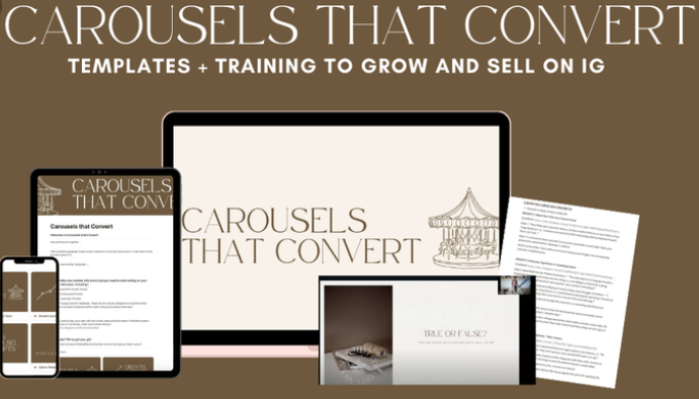
Carousels That Convert by Jordan Dooley is an Instagram content training resource focused on creating carousel posts with a clearer purpose. The official sales page describes a comprehensive tutorial covering carousel strategy, supported by more than a dozen customizable frameworks and scripts. These resources are intended to help creators develop ideas and adapt them to their own voice, experiences, and offers.
The central idea is straightforward: instead of treating every carousel as a blank-page writing exercise, creators can work from a repeatable process for developing content.
That process begins with understanding the purpose of a post. Is it meant to teach something, share a personal experience, help readers see a problem differently, build trust, or introduce a product? Once the purpose is clear, the creator can develop a message and arrange it into a sequence of slides.
For coaches, consultants, educators, creators, and independent business owners, this approach can make Instagram content planning more intentional.
What Is Carousels That Convert?
Carousels That Convert is a course focused on Instagram carousel creation, storytelling, and content strategy. It is promoted through The Story Tutorials, where the official sales page explains the tutorial and its accompanying writing frameworks.
An Instagram carousel allows a creator to publish multiple images or slides within a single post. Rather than communicating everything in one image, the creator can build a sequence that introduces an idea, develops it, and ends with a useful conclusion or next step.
For example, a business coach could create a carousel explaining five common mistakes people make when setting a business goal. A photographer might share the decisions behind a successful shoot, while a digital product creator could explain how a resource solves a specific problem.
The subject alone does not make a carousel effective. The writing, structure, visual presentation, and relevance to the audience all influence whether someone continues reading.
The course’s emphasis on frameworks and customizable scripts is relevant to creators who want a starting point for these decisions without making every post feel identical.
Why Carousel Content Can Be Useful
Different Instagram formats serve different communication purposes. Reels can be useful for video-based storytelling and demonstrations, while carousel posts provide room to organize information across multiple slides.
A carousel can introduce a question, explain a process, compare options, share a personal lesson, or guide readers through a series of ideas. Readers can move through the sequence at their own pace, making the format suitable for content that benefits from a little more explanation.
For personal brands, carousels can also help connect expertise with personality. A creator might share a practical lesson from their work, explain the thinking behind a decision, or discuss an experience that shaped their approach.
However, no format guarantees reach, engagement, or sales. Performance depends on the audience, message, quality of the content, consistency, and other factors. A sensible content strategy considers the formats that work for both the creator and the people they want to reach.
A Closer Look at the Core Concepts
1. Start With a Clear Content Idea
A common content challenge is deciding what to post. Many creators begin with a broad topic but struggle to turn it into a specific message.
A useful starting point is to identify a question, problem, misconception, experience, or lesson that matters to your audience.
For example, a freelance designer might choose the broad topic of website design. A more focused carousel idea could explain why a website can look attractive yet still make it difficult for visitors to find important information.
The more clearly defined idea gives the post a direction. It also makes it easier to decide which details belong in the carousel and which can be left out.
Frameworks can support this process by providing different ways to approach a subject. The key is to adapt the framework to the actual idea rather than forcing every topic into the same structure.
2. Give Each Slide a Purpose
A carousel works best when its slides contribute to the overall message.
The opening slide should help readers understand why the topic is relevant. The following slides can explain the idea, provide examples, introduce a useful distinction, or build toward a conclusion.
For instance, a carousel about improving an online store’s product pages might begin with a recognizable customer problem, explain several common sources of confusion, and finish with a short checklist.
This approach creates a logical progression rather than a collection of unrelated statements.
The number of slides should depend on the message. Some ideas can be explained concisely, while others need additional context. Adding slides merely to make a post longer can make the content less useful.
3. Use Storytelling to Make Ideas More Relatable
Storytelling can help connect information with real experiences. Instead of presenting only an abstract lesson, a creator can explain what happened, what they noticed, and what they learned from the experience.
A consultant, for example, might share a lesson from a project without revealing confidential client information. An educator could describe a common misunderstanding and explain how they came to understand the topic more clearly.
The strongest stories have a meaningful connection to the audience and the point being made. Personal details should support the message rather than distract from it.
For personal brands, this approach can help communicate a recognizable perspective. The aim is not to turn every post into a dramatic story, but to find appropriate ways to make useful information more human and memorable.
4. Write in a Voice That Sounds Like You
Templates and frameworks can make writing easier, but copying a script word for word may leave a post sounding generic.
A more effective approach is to treat a framework as a structure and customize the actual language. Consider the phrases you naturally use, the questions your audience asks, the experiences you can discuss honestly, and the level of detail your readers need.
A financial educator, for instance, may use precise explanatory language. A lifestyle creator might use a more conversational tone. Both can communicate a clear message without sounding the same.
The course’s advertised customizable scripts are intended to give creators a starting point they can adapt to their own voice, story, and offer.
5. Connect Content With a Relevant Next Step
Some carousel posts are designed to educate or build familiarity, while others support a specific business objective.
A post about a common customer problem might direct readers to a related guide. A product-focused carousel might invite people to view a product page. A service provider could encourage interested readers to learn more about a consultation.
The call to action should fit the content and the audience’s level of interest. Not every post needs an aggressive sales pitch.
It is also important that the destination matches the promise made in the carousel. Clear, accurate messaging builds a stronger foundation for trust than exaggerated claims or pressure-based language.
Who May Find This Course Relevant?
Coaches and consultants: Carousel frameworks can provide a structure for explaining concepts, answering common questions, and sharing relevant lessons from professional experience.
Content creators: Creators who want to publish educational or story-driven posts may find a repeatable approach useful when planning their content.
Digital product sellers: Creators promoting guides, workshops, or other digital products can use carousel content to explain the problem a resource addresses and help potential buyers understand its purpose.
Educators and subject-matter experts: Carousels can break down complicated ideas into smaller, easier-to-follow sections.
Freelancers and service providers: Independent professionals can use the format to communicate their approach, discuss common customer challenges, and demonstrate expertise.
Personal brands: The official course page specifically states that the resource is best suited to creators with personal brands, rather than faceless companies that do not communicate through an identifiable individual.
The course may be less suitable for businesses looking primarily for technical advertising training, advanced analytics instruction, or a complete social media management program.
A Practical Carousel Planning Example
Imagine you are a consultant who helps small businesses improve their customer onboarding process.
Instead of publishing a general post saying that onboarding matters, you could develop a carousel around a specific question: why do new customers sometimes feel confused after making a purchase?
The opening slide introduces the problem. The next slides explain several possible sources of confusion, such as unclear instructions, missing next steps, or inconsistent communication. A later slide offers a simple way to review the onboarding experience, and the final slide invites readers to consider how the process works in their own business.
This example demonstrates how a broad topic can become a focused piece of content with a clear progression.
You could then develop another carousel about a related subject using a different structure. One post might explain a process, another might share a personal lesson, and a third might address a common misconception.
That variation helps maintain a consistent subject area without making every post feel repetitive.
How to Evaluate Carousel Performance
Creating content is only one part of the process. Reviewing how it performs can help you make better decisions about future posts.
Depending on your goals and the analytics available, useful signals may include saves, shares, comments, profile visits, link clicks, and inquiries. A post designed to educate an existing audience may have a different purpose from one intended to introduce a product to potential customers.
It is important to interpret these signals in context. A post with many likes does not necessarily produce sales, and a post with fewer visible interactions may still provide useful information to a specific audience.
Rather than judging every carousel against the same metric, decide what the post is meant to accomplish before publishing it.
Over time, this approach can help you identify which subjects, writing styles, and presentation choices are most useful for your audience. It will not guarantee a particular outcome, but it gives you a more thoughtful basis for improving your content.
What to Consider Before Purchasing
The official sales page advertises a comprehensive carousel tutorial and more than a dozen customizable frameworks and scripts. It also notes that the course is designed primarily for personal-brand creators.
Before enrolling, review the official page for the current price, exact deliverables, access arrangements, and applicable refund terms.
One important distinction is that learning a framework does not guarantee that every post will perform well. The quality of the idea, the creator’s ability to adapt the material, the relevance of the message, and audience behavior all matter.
You should also consider whether the course matches your preferred way of communicating. If you rarely use Instagram or your audience primarily engages through another channel, a carousel-specific resource may be less relevant than broader content strategy training.
Finally, make sure you understand the course’s usage terms. The official terms state that course materials are provided for personal use and that copying or distributing them for public or commercial purposes requires express written permission.
Final Overview
Jordan Dooley’s Carousels That Convert focuses on using Instagram carousel posts to communicate ideas through structured writing, storytelling, and customizable content frameworks.
The course may be worth exploring for personal-brand creators who want to plan carousel posts more deliberately and develop a repeatable writing process. Its concepts can be applied to educational content, personal stories, audience questions, and relevant promotional messages.
The most useful approach is to adapt any framework to your own voice and audience, then evaluate the content according to the goal of each post. Consistent practice and thoughtful review are more valuable than assuming a particular format will automatically produce reach or revenue.
Official course page: Carousels That Convert by The Story Tutorials




Reviews
There are no reviews yet.